- MENU
- HOME
- SEARCH
- WORLD
- MAIN
- AFRICA
- ASIA
- BALKANS
- EUROPE
- LATIN AMERICA
- MIDDLE EAST
- United Kingdom
- United States
- Argentina
- Australia
- Austria
- Benelux
- Brazil
- Canada
- China
- France
- Germany
- Greece
- Hungary
- India
- Indonesia
- Ireland
- Israel
- Italy
- Japan
- Korea
- Mexico
- New Zealand
- Pakistan
- Philippines
- Poland
- Russia
- South Africa
- Spain
- Taiwan
- Turkey
- USA
- BUSINESS
- WEALTH
- STOCKS
- TECH
- HEALTH
- LIFESTYLE
- ENTERTAINMENT
- SPORTS
- RSS
- iHaveNet.com
Tim Kridel
Mobile devices have been transforming the world of computing. Smartphones, tablets, e-readers and netbooks have revolutionized the way people communicate and interact with each other, buy things, shoot video, make music and play games. Perhaps most important, mobile devices are changing the way people work.
Consumers' expectations have risen with this proliferation of mobile technologies. Fast, reliable access to the Internet and location-aware services on smartphones and tablets has upped the ante: People expect instant gratification without barriers. Who wants to wait for their mobile device to turn on, or spend a lot of time learning a complex user interface? Smooth computing experiences in 2012 require always-on connectivity and application responsiveness.
Combining Mobility and Power
Recognizing this sea of change, a new line of mobile devices -- Ultrabooks -- was unveiled last year at Computex in Taiwan. According to the announcement, Ultrabooks "would operate more like smartphones -- wake up in a flash, combine responsiveness with performance, offer a seamless and compelling experience and be sleek and less than an inch thick."
Ultrabook devices extend and enhance the practical applications of smartphones and tablets by combining portability with the technology that's typically associated with high-performance laptops -- second-generation processors and a 64-bit OS. Toss in accelerometers, a gyroscope and other sensor technologies and wrap it all in a sleek, thin, lightweight case with an equally attractive price tag, and you've got a recipe for what manufacturers hope is the next big thing in mobile computing.
"Developers that were strictly building PC applications will now have a platform that's more mobile than a typical laptop and have technologies and sensors they previously could not access," says Tom Deckowski, a developer marketing manager for Intel [disclosure: Intel is the sponsor of this content]. "On the flip side, mobile app developers who were focused on creating apps for small-footprint devices that didn't take a lot of CPU performance will now have access to CPU and graphics performance they never had before, without losing access to the sensors. There's something new in the Ultrabook device for both PC and mobile app developers alike."
The Details
Ultrabook devices have three primary technologies that help them perform responsively:
Fast start-up
Ensures that it will take less than seven seconds to get the system up and fully functioning from hibernation, saving time and battery charge. In some Ultrabook devices, a portion of the system's hard drive is reserved for caching information about the operating system and application state, providing users with a mobile experience that's highly responsive.
Fast response
Using a solid-state drive (SSD) or SSD-hybrid as a cache between a hard drive and its memory without the use of an additional drive partition, makes application launch times faster.
Continuous updates
Allow applications on some models to continue receiving data updates even while the system is in hibernate or sleep mode. This can be used for all kinds of things; for game developers, they can push game updates to MMORPG players while they're away from their Ultrabook, instead of spending time downloading updates before they can continue playing the game.
Device security is provided via new identity protection tools that are embedded in the BIOS/firmware of the devices. While no system is immune to theft or loss, these identity protection measures can detect theft or loss and disable the system. When the Ultrabook is recovered, the software can reactivate it with no loss of data.
Another crucial feature is extended battery life. Ultrabook devices are based on low-voltage processors that offer a minimum battery life of five hours, and up to eight hours or more on some systems.
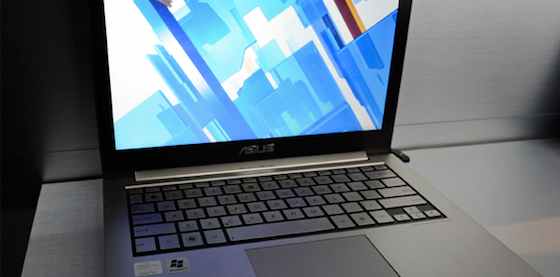
The first Utrabook devices, including the Acer Aspire S3, the ASUS ZENBOOK, HP Folio, Lenovo IdeaPad U300 and Toshiba Portege Z830 Series, are hitting shelves now. They all weigh in at 3 pounds or less, are paper thin and feature air-cooled keyboards, HDMI connectors for hooking up to a TV set and USB 3.0 connectors. Storage options include SSDs and hard drives of various sizes.
Photo: Getty Images