- MENU
- HOME
- SEARCH
- WORLD
- MAIN
- AFRICA
- ASIA
- BALKANS
- EUROPE
- LATIN AMERICA
- MIDDLE EAST
- United Kingdom
- United States
- Argentina
- Australia
- Austria
- Benelux
- Brazil
- Canada
- China
- France
- Germany
- Greece
- Hungary
- India
- Indonesia
- Ireland
- Israel
- Italy
- Japan
- Korea
- Mexico
- New Zealand
- Pakistan
- Philippines
- Poland
- Russia
- South Africa
- Spain
- Taiwan
- Turkey
- USA
- BUSINESS
- WEALTH
- STOCKS
- TECH
- HEALTH
- LIFESTYLE
- ENTERTAINMENT
- SPORTS
- RSS
- iHaveNet.com: Technology
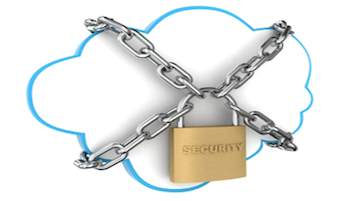
The cloud's features we love most also leave us vulnerable to privacy and security risks, but you can use the cloud without compromising your privacy.
Cloud computing has certainly made life more convenient. The cloud allows you to back up photos and music in a Web vault, collaborate simultaneously on a document in Texas with a colleague in Tennessee, or buy something online with one click of the mouse.
But if you don't take the proper precautions to protect yourself online, what you gain in convenience from the cloud you may lose in privacy. "People want to be able to access their applications not just from their computer, but from their phones, tablets, etc. And if they're using the same user ID and password everywhere, they're going to run into trouble," says Tom Packert, chief technology officer at CareCloud, a company based in Miami, Fla., that implements cloud-based solutions for medical professionals.
Easy-to-crack passwords are less of a problem thanks to sites like LastPass.com, which make it easy to create virtually unhackable passwords you can actually recall. Use the program to create one master password that better protects all your unique passwords on any website you visit and cloud-based service you use. The site also allows you to test your current passwords to see how secure they really are.
But decodable passwords are only one of many security issues cloud-based computing entails. Here, a look at the different types of cloud users that may live in your home, what breaches each is vulnerable to, and the steps you can take to protect your family's personal information.
The Desktop Surfer
They use the cloud to back up files, pay bills, shop online
Cloud Computing Security risk:
Malware, which includes viruses, worms, spyware, adware and rootkits. "It's everywhere," says Packert, "so you really shouldn't be doing your banking on the same computer that your entire family uses."
Cloud Computing Protection plan:
Try OpenDNS , a superfast DNS service that acts as a low-budget firewall to block malware and other harmful bugs from sneaking onto your computer. Webroot also offers antispyware and antivirus protection that is specifically designed to deal with vulnerabilities posed by cloud computing. Meanwhile, Symantec is a software program you can install directly on your PC. Once you've selected your firewalls, install Secunia PSI , a free program that compares all of the software on your computer with updates that are available online and downloads new versions when necessary.
The Mobile Worker
They use the cloud to share documents, video conference, back up files
Cloud Computing Security risks:
Exposing company computers to unsecure networks. "People plug their laptops into their unsecure network at home, then go into the office and log on to the company server," says Packert. Also, since laptops are portable, they're easy to steal -- along with the sensitive data they contain.
Cloud Computing Protection plan:
"Humans are easy to hack and laptops are easy to steal, so every laptop user should install encryption software," recommends Packert. A program like TrueCrypt will make your data unreadable, so if your machine does get stolen, the thief will have the laptop -- but not the information on it.
The Social Networker
They use the cloud to surf Facebook, Twitter, Instagram and other social newtorks
Cloud Computing Security risks:
Since teens are often doing the most social networking in your house, they're also the ones inadvertently giving away confidential information every time they play a game on Facebook, create a user profile or update their status.
Cloud Computing Protection plan:
Have a talk with your kids about the danger of revealing too much personal information on social networking sites. "It's not your page on Facebook; it's Facebook's page about you," says Packert. Also, make sure your antivirus software is up-to-date.
The Smartphone Addict
They use the cloud for GPS tracking, social networking, sharing photos
Cloud Computing Security risks:
GPS tracking, which many Web-based services now use, can leave you widely vulnerable to security breaches -- even if you did save 10 percent off your bill by "checking in" at your favorite restaurant.
Cloud Computing Protection plan:
Anytime your phone or tablet asks to track your location, click "Don't Allow," which disables the GPS tracking. Also, if your tablet has the option to encrypt your drive (the Motorola Xoom does, for example), be sure to choose that option. This way, if someone walks away with your tablet, you'll only be out a gadget -- not most of your private information.
Regardless of whether anyone in your family fits one of these profiles, you should be aware of the available security tools to protect yourself online if you use cloud-based computing. As technology gets more sophisticated, so do the hackers and thieves messing with it. Says Packert: "Security breaches can happen to anyone if you're not careful."
Photo Credit: @iStockphoto.com/alexsl
Cloud Computing Privacy: Cloud Computing 101: How to Protect Yourself Online
Article: Copyright © All rights reserved