- MENU
- HOME
- SEARCH
- WORLD
- MAIN
- AFRICA
- ASIA
- BALKANS
- EUROPE
- LATIN AMERICA
- MIDDLE EAST
- United Kingdom
- United States
- Argentina
- Australia
- Austria
- Benelux
- Brazil
- Canada
- China
- France
- Germany
- Greece
- Hungary
- India
- Indonesia
- Ireland
- Israel
- Italy
- Japan
- Korea
- Mexico
- New Zealand
- Pakistan
- Philippines
- Poland
- Russia
- South Africa
- Spain
- Taiwan
- Turkey
- USA
- BUSINESS
- WEALTH
- STOCKS
- TECH
- HEALTH
- LIFESTYLE
- ENTERTAINMENT
- SPORTS
- RSS
- iHaveNet.com
Marc Saltzman
Although the word "iPad" is becoming synonymous with "tablet computer," Apple's popular 9.7-inch touch screen devices aren't the only game in town. Tablets are poised to become a huge category for businesses and consumers alike, even predicted to eclipse laptop sales by 2015, says Forrester Research. And we're only scratching the surface of what's to come in this space.
Here's quick look at the current landscape.
1. Apple iPad 2 |
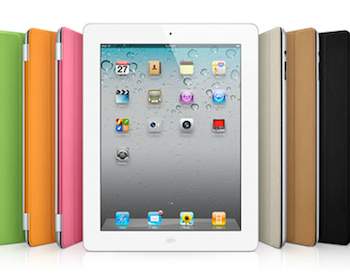 |
Cost: $499 and up Apple's latest tablet is the current king of tablets. And for good reasons, including a reliable iOS, graceful user interface, long battery life, a huge ecosystem of about 500,000 apps and no shortage of hardware accessories (from fitted cases to wireless keyboards, speaker docks and more). Unlike last year's model, the iPad 2 has two cameras (one for free FaceTime or Skype videoconferencing) and a dual-core processor (for faster performance), plus it's lighter and thinner. Apple's iOS tablets include Microsoft Exchange support and features like the ability to lock the device and remotely track or wipe data if it’s lost or stolen. iPad appears courtesy of Apple |
2. Blackberry Playbook |
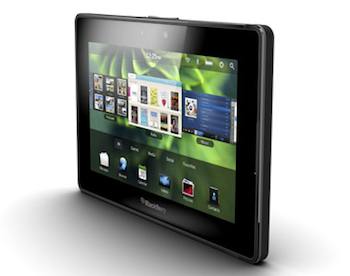 |
Cost: $500 and up Built for business but ready for play, Research in Motion's BlackBerry PlayBook wasn't quite ready for primetime when it launched in April. A few post-launch software updates have made this 7-inch tab a lot more functional and fun. Along with a powerful dual-core processor, stunning screen and intuitive interface (with strong multitasking support), the tablet includes out-of-the-box compatibility with BlackBerry Enterprise Server (BES). When connected over Bluetooth, a nearby BlackBerry's data -- such as email and calendar entries -- is viewable on the tablet but isn't stored on it. Therefore, IT departments can deploy PlayBooks to employees without worrying about security and manageability issues. When it comes to apps, PlayBook falls far behind the Apple and Android offerings. However, RIM announced it would support both BlackBerry and Android apps over the coming months, but it will require some nominal coding by developers for the apps to work on PlayBook. |
3. Motorola Xoom |
|
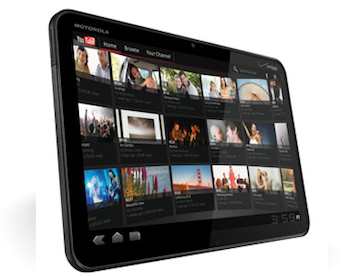
Cost: $599 for the Wi-Fi version, or for Wi-Fi + 3G on two-year Verizon plan The first Android 3.0 ("Honeycomb") tablet offers a boatload of horsepower, thanks to a fast dual-core processor and a gigabyte of system memory (RAM). As such, the 10.1-inch Motorola Xoom (pronounced "zoom") runs all your professional and personal apps quickly and smoothly. Like the BlackBerry PlayBook, the Xoom has dual cameras and a Web browser that supports Flash sites. Memory isn't expandable, but you've got 32 GB of integrated storage for all your media and other files. Similar to other Android tablets, like the Samsung Galaxy Tab, the Xoom offers access to the Android Market for 300,000 downloads (as of May 2011). Although Android has Exchange support, be aware that an open platform like Android might mean additional security concerns -- evident by a few dozen malware apps that were found to lift data off the device. (The apps were later pulled from the Android Market). As a result, Google promised more scrutiny and better security for its Android smartphones and tablets going forward. |
4. LG G-Slate |
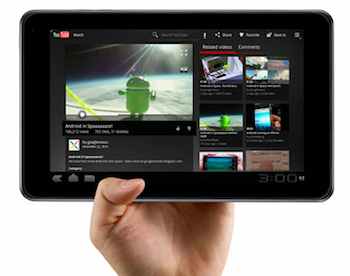 |
Cost: $499 and up The LG G-Slate might seem geared more toward entertainment enthusiasts than business professionals, but it's pretty impressive nonetheless. The 8.9-inch tab is the first with the ability to snap 3-D photos and shoot 3-D videos with the rear-facing 5-megapixel camera (dual lenses) -- so you can play it back on a compatible 3-D TV -- plus there's a front-facing 2-D camera for self-portraits and video chats. |
5. HP TouchPad |
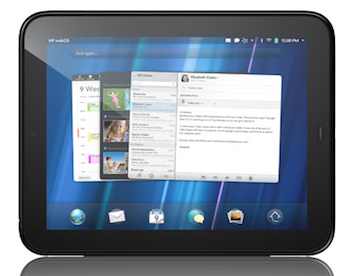 |
Cost: $500 for the Wi-Fi 16 GB version Available sometime this summer, HP's TouchPad will be the first tablet to run webOS, known for its elegant user interface and multitasking prowess. Open apps are displayed in the form of large cards -- not small icons -- that you swipe to browse, tap to expand, or flick up to close. The webOS can automatically group related cards together, such as an email and a related Web page. Unlike that "other" 9.7-inch tablet, the TouchPad can be used to answer calls or read text messages. The 1.6-pound TouchPad will include VPN support to connect to business networks (including Microsoft Exchange servers), as well as Quickoffice Connect Mobile Suite to view and edit documents like Microsoft Word and Excel files. A front-facing 1.3-megapixel camera can be used for live video calling. |